Built on the bills you already pay
How it works
Three screens. The first is six numbers you already have, the second is a few fields per job, the third takes care of itself.
1Step 1 of 3
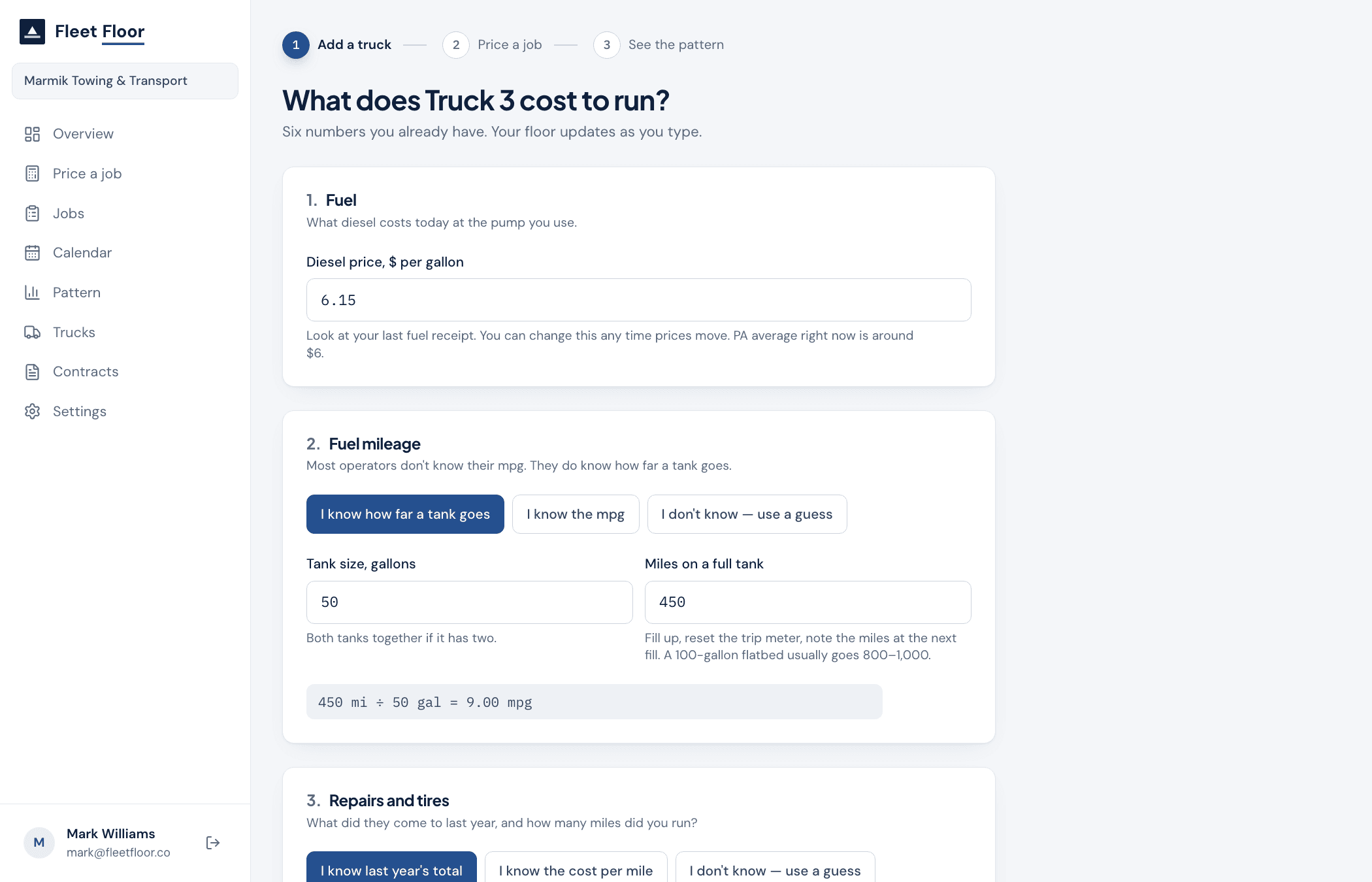
Add a truck
Every question is a bill you already pay or a number you already know. Diesel price off your last receipt. How far a tank goes. What repairs and tires came to last year and the miles you ran. Insurance, the truck payment, plates. A driver wage. What the truck needs to bring you each month.
Where you don’t know a number, say so. Fleet Floor uses a typical figure for that kind of truck, marks it clearly as a guess, and tells you how to replace it. Derived numbers show their arithmetic right on the page.
2Step 2 of 3
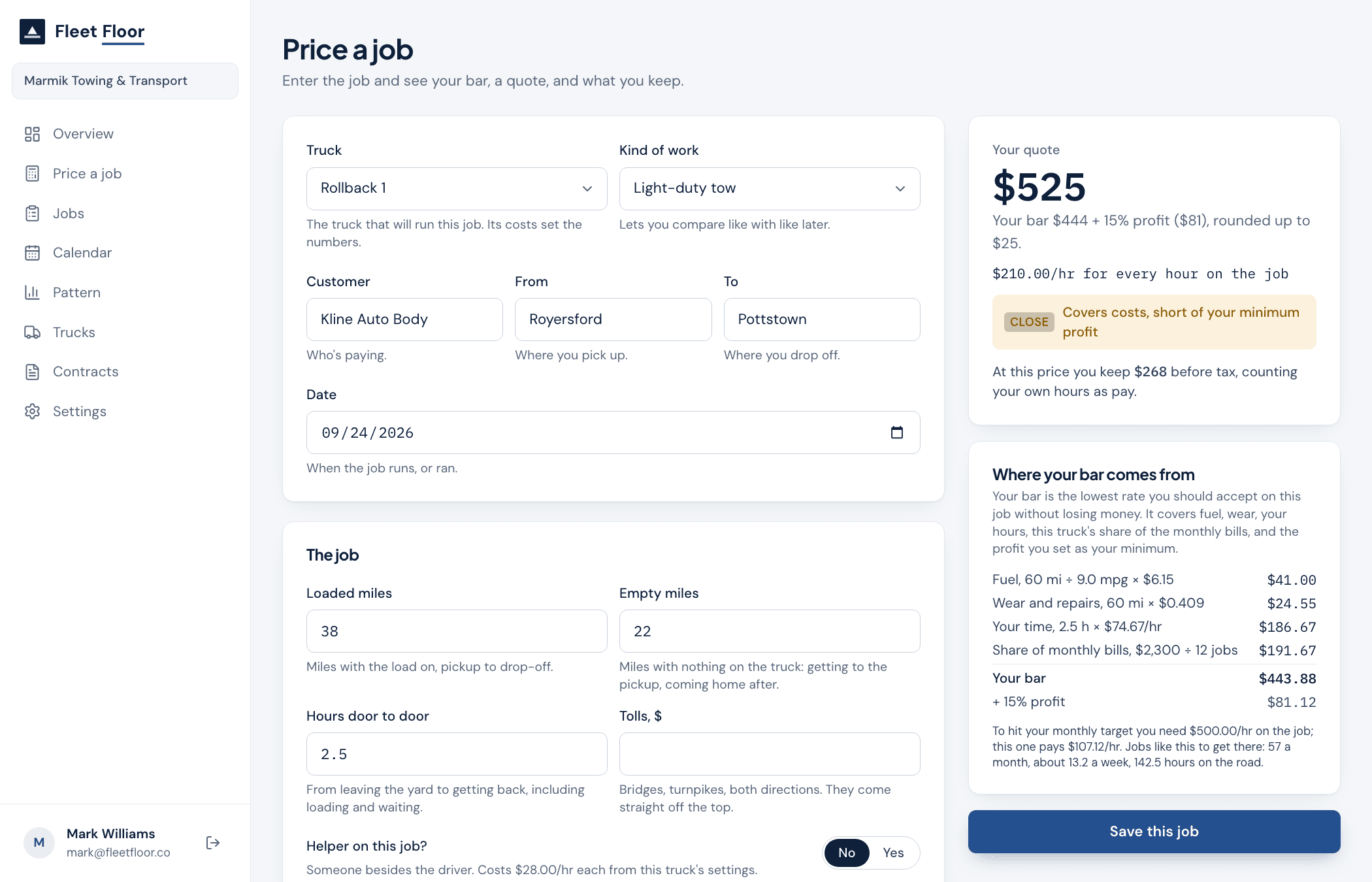
Price a job
Loaded miles, empty miles, hours door to door, tolls, and whether a helper came along. The floor and the quote update as you type, with a line-by-line breakdown of where the floor comes from.
If a motor club, broker or dealer is setting the price, switch that on. Instead of a quote you get their number next to your floor and a plain verdict: clears your bar, under your bar, or loses money.
Save the job. Later, mark it won, lost, completed or paid, and what was actually invoiced.
3Step 3 of 3
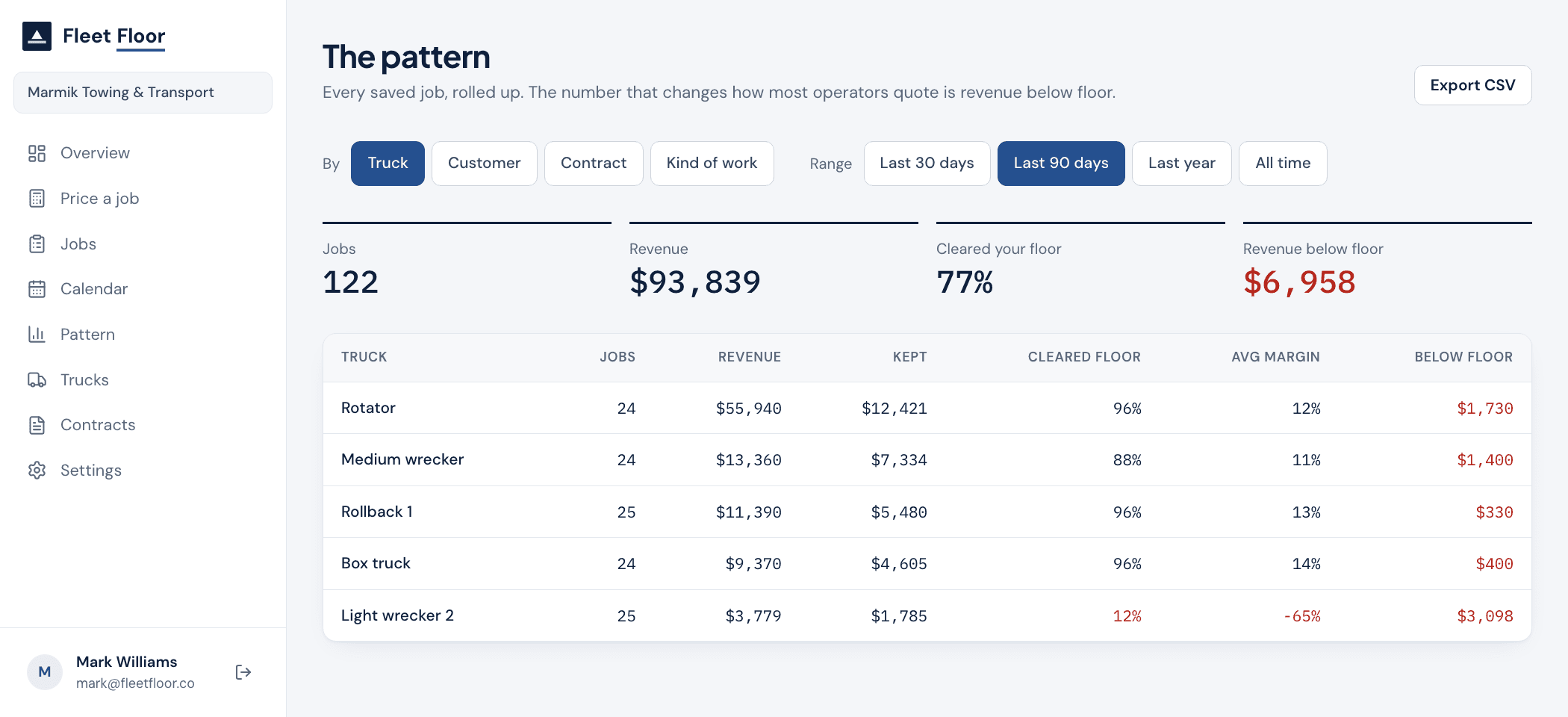
See the pattern
Every saved job rolls up by truck, by customer and by contract: how many jobs, what share cleared your floor, average margin, and how much revenue came in below the floor. That last number is usually the one that changes how an operator quotes.
Sort it, filter it by date, export it to CSV for your accountant.
Questions
Questions operators ask
Towbook tells you where the truck is. This tells you whether the job was worth taking.
I already have Towbook or dispatch software. Is this a replacement?
No. Dispatch tells you where the truck is and who's on the call. Fleet Floor tells you whether the call was worth taking. You keep your dispatch software; this sits next to it.
I don't know my maintenance cost per mile.
Nobody does. You know what repairs and tires came to last year, and roughly how many miles you ran. Divide one by the other and that's your cost per mile. Fleet Floor does the division and shows you the working.
Does it handle motor club rates like Agero, Quest and Urgent.ly?
Yes. Save each club's rate card once. When you price a call, pick the club and Fleet Floor shows what you keep after fuel, wear, your hours and the truck's share of the monthly bills, and whether that clears your floor.
Does it connect to Towbook or QuickBooks?
Not yet. A Towbook import and a QuickBooks export are on the roadmap. Today you enter jobs by hand, a few fields per job, and you can export everything as CSV.
Where does my data go? Who can see it?
Your numbers are stored in a database that only your company's logins can read. Nobody else can see your costs or your jobs. If enough operators opt in, we publish regional averages, but never for fewer than five companies and never in a way that identifies anyone. You can opt out in settings.
What if I run 3 trucks? Or 40?
It works for any size. It's built around the problems of a 3 to 15 truck shop: real operating history, recurring work, contracts and drivers, enough going on that the truck-level numbers matter. With one truck you'll still learn something; with forty you'll want the reports.
What does it cost?
One plan: $297 a month for full access. No setup fee. Month to month, cancel any time, and yearly gets two months free. The founder-led audit and onboarding, where Mark sets your account up with you, is normally $2,000 on top; the first 10 Foundation Customers get it credited in full. See the pricing page for the guarantee.
Start with your first truck.
Six numbers from the bills you already pay, and the floor is there before you quote the next job.
Month to month. Cancel any time. Or try the live demo first. No sign-up needed.